Developing a new iOS App with CoPilot
Date: 2025-10-25 9:07 pm PST
Introduction
This is the third article I have written about Generative AI (GenAI). The focus remains that of the individual contributor. I believe this focus to be of critical importance. Individuals will have to assimilate GenAI workflows at work and in the home place in the immediate future. Why? Because the rate at which change can be introduced to a project or product by AI can and often does exceed what most engineers will be able to comprehend in a work session (vibe coding?). This single fact dominates my thinking about AI.
For 90% of my professional career, it's been the other way around. Engineers regularly burnout maintaining a low rate of change for their product or application. That does not mean they are not working, it's the return on effort with AI. I can change code/text much quicker in general, which in turn means I iterate quicker, that's a 2x advantage that company leaders are not going to ignore.
An individual entering today's workforce is going to work with AI and AI produced artifacts. Acceptance of this fact will very much aid you as an individual contributor. Work has always been about getting the task at hand done - period. AI and machines excel at this and can enhance an individual's skill set dramatically.
For this article I decided to use AI (CoPilot) to develop an iOS app. I chose an iOS app because I have lots of experience having been an iOS developer for over a decade and I enjoy using the Swift language a lot. So it is safe to say I have knowledge to assess the development experience and efficiency of an AI based workflow for building iOS apps.
Project Goals
The main focus of this project is to use AI for iOS development. Next is delegation, I want to write the least amount of code possible and have that actual task completed by CoPilot.
This is to be a structured project based on feature development that will use AI to reduce the time to product release with greater iteration possible due to the effect on the rate of change driven by AI. This is a brand new project so I expect to manage the AI guided work using the copilot-instructions.md file to manage the AI's context.
The features will be built out consecutively with the bulk of the development work being the bluetooth remoteID scanner. I also very much want to practice not just prompt engineering but the act of delegation - something I think will become incredibly important for all future AI interactions and work.
iOS App Requirements
The app to be built had to solve a real complex problem to be a realistic assessment of AI. I chose to write an app that would use Bluetooth to scan for remote IDs as per the ASTM F3411-22 and ASTM F3586-22 standards. Basically 5 bluetooth messages represent a drone entity with the messages being sent at different time intervals. I am a FAA certified remote pilot so this would be something I could use and guarantees a degree of difficulty that meets the complexity requirement of the project.
With the core feature decided the remaining app functionality is designed to support the drone pilot. This is the ability to store FAA pilot details, you can scan your FAA license to populate the record. Next is a drone inventory view where the drone pilot can add their drones to help track them better. Last is a drone dictionary which is an editable dictionary of drone words. Each word has a definition and a URL link for more information that can also be edited.
The app is called SkyLogic and you can find out more from the App Store[3]. It is designed with project completion in mind followed by a series of refining iterations. Since it is an iOS app there will also need to be a support page for the app[5].
Tech Stack
The project was chosen to favor my knowledge in iOS with a difficult task, bluetooth scanning for drones that comply ij76 ith the FAA's remote ID. As a FAA remote pilot I am aware of RemoteID[1] but not the working details of the bluetooth messaging protocol.
So clearly Xcode (v16.1 - 16B40) otherwise project failure :) Then the addition to the stack is GitHub CoPilot for Xcode (v0.41.136) since Swift Assist[6] has not arrived in time to use. This unfortunately means the stack uses both Apple's and Microsoft's tech. Not ideal but the GitHub Copilot extension had reasonable results when tested.
I need to discuss AI's role in the tech stack. Most if not all of today's IDE's and software solutions are going to be replaced by AI ones where it makes financial sense to do so. There is a whole new set of tools and services that will take shape as we as a society learn how to interact with AI. I personally believe the best approach for the individual is to develop a working relationship with AI so that you understand its usage better. Because interactions with AI are here now and will only grow to include roles traditionally outside of IT and Tech sectors.
I use the word relationship intentionally because I believe working with AI will be defined by your conversational abilities, your knowledge and your ability to delegate. What you do as an individual contributor matters both as a worker and a consumer, we live in a recorded society - no judgement.
The instructions created for CoPilot center around feature development and general instructions. For example, always read the README when starting up and do write tests. The app was to be defined in terms of a version and its feature. New feature new version going from v0.9.0 to v0.9.5 for release as 1.0 in the App Store.
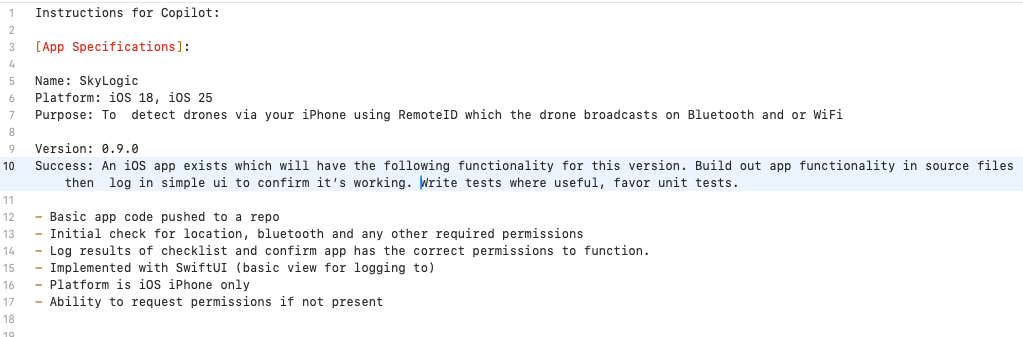
Developemnt
I started with version 0.9.0 and this is where I did the most coding work, which actually focused on project setup for majority of this version's functionality. This made sense to me as I used my developer knowledge to bootstrap the project. I found organization matters even more now. Good organization allows you to switch the AI's context much easier and quicker. I would be using Apple's implementation of the MVVM pattern as the basis for data flow. At the directory level the project is organized as follows:
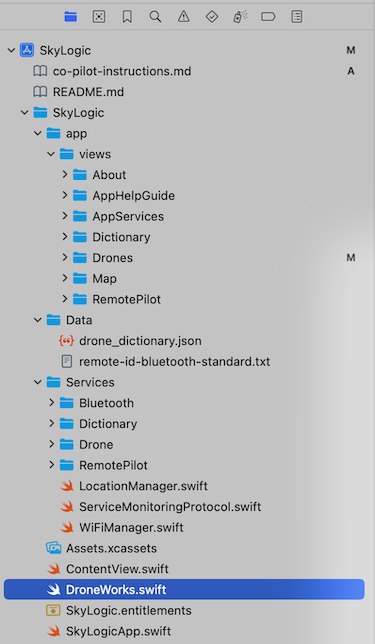
This made context switching as simple as selecting and deselecting directories in the project's root directory, it is definitely convenient as managing context becomes a central task to getting good results from your AI interactions. I focused on chat and code assistance to meet the goal of practicing focused delegation. Not because of AI but because of my limitations. I have done over a decade of iOS development work and it is much easier and quicker for me to confirm the CoPilot results. Later on AI agent mode was used and very much impacted the deployment of cloud resources to support SkyLogic.
Traditionally agile and corporate does not do the best job of accounting for and resolving bugs and logic issues over time. This would be a theme with this app too. I found myself relying on my DevOps experience a lot more than I ever expected to and I am not talking technical but experience wise and sociologically.
There are certain social traits that definitely help you be a good DevOps engineer, stubbornness, inability to let it go without resolving the issue and an attitude for getting it done. I have literally at times stayed at a keyboard long past productive use just to nail down the first solution. Experience has impacted me here, but it is still something I must watch out for. This comes from I think DevOps being mostly a zero-sum game - 95% is simply not success!
Feature driven development worked well and allowed to build an ever expanding context for the AI to use. I was impressed with how well this approach worked with AI prompting me to stay focused more than once.
What did not work well was the GitHub Copilot extension and Xcode, not complaining here. I know it's not a sanctioned development stack but I actually became afraid of upgrading the extension as the performance from my perspective kept heading south until I could nearly use it. I downgraded to v0.41.136 for CoPilot and things settled down but very much an unpleasant experience which stopped development until resolved.
The good news is that prototyping was and is simply delightfully quick when your project is well defined. I did not do so well on the testing side but the project was built out sequentially. What really surprised me was how useful CoPilot was across the domain of software development. I never stopped for a designer, writer, CoPilot and AWS Bedrock were used instead.
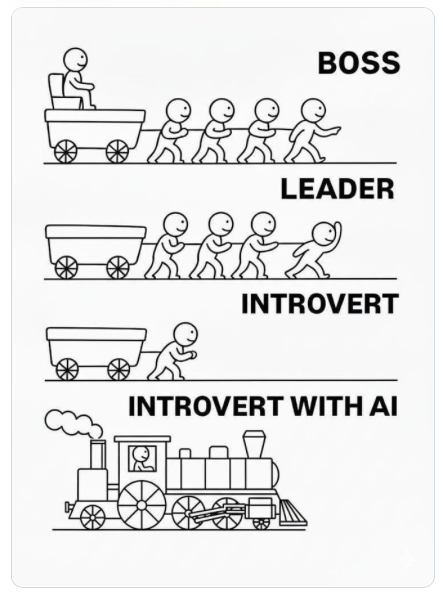
Rate Of Change
It's worth thinking about rate of change not just as a mathematical concept but a human experience. Visualization can really help here and I found the best examples to be AI artists on Instagram. Kelly_boesch_ai_art [7] is an AI artist whose work I personally enjoy[8]. I am pretty sure they exist on all the social media platforms, I just happen to use instagram myself[9].
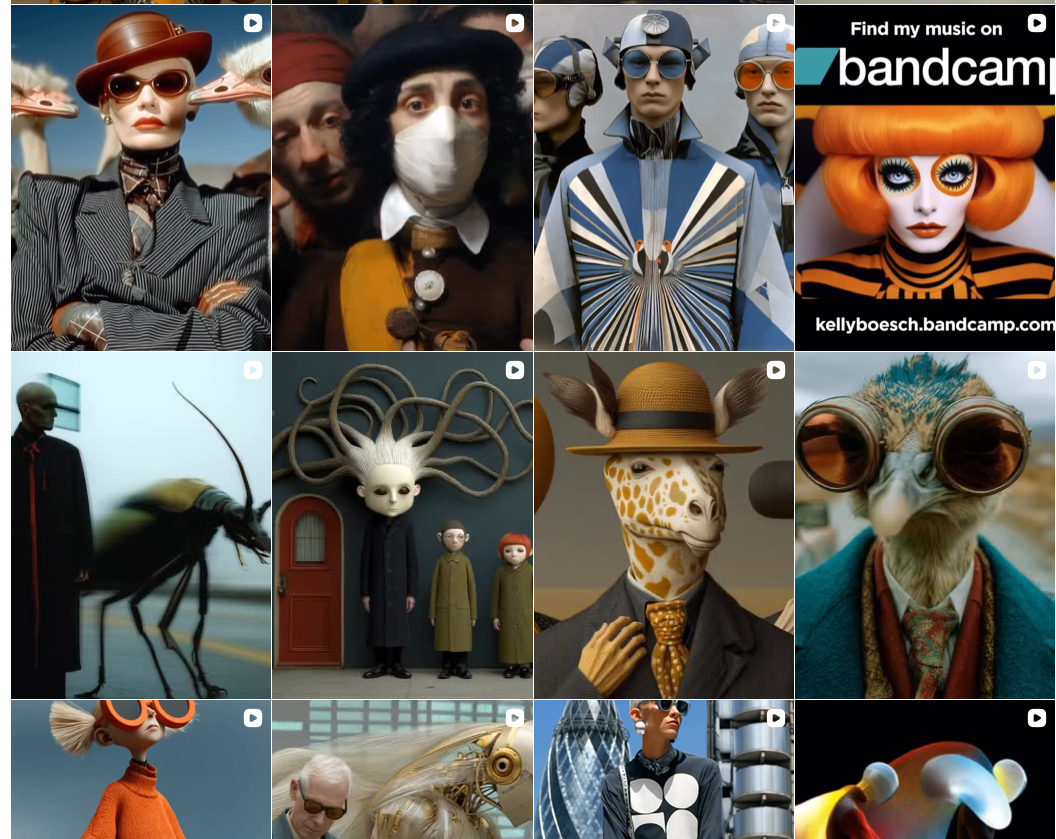
This is incredibly important to discuss as the use of AI flips the traditional software development model on its head. You can change as much as you want as quickly as you like, but it still has to be meaningful. My initial thoughts lead me to test driven development and or extensive use of unit tests. As a single developer controlling this was a simpler task than with a team.
I very much see AI agents becoming embedded "Team Members" with teams to monitor KPIs such as velocity, compliance, and quality.
Conclusion
We have entered a period of great change and many of the career, IT roles, technologies, and tools we use today will not exist in a few years, or if they do, it will be AI that uses them. AI allows us to take advantage of abstraction at an unprecedented level. Software development has changed forever, our companies know this and are all scrambling for their position, capitalism wins here.
The purest definition for generativeAI that I myself have come up with is this:
Generative AI is uncontrolled and unguided automated creativity.
Please think about this, creativity has always been the domain of humanity with a direct bearing on a society's well being. Until this point in humanity's history we have not been able to control the very act of creativity. It has been coerced out of individuals at times, but NEVER controlled as a technical resource.
Just let that sink in. Western societies' middle classes are built on the very creativity of their families. How do we as individual contributors adapt when creativity is a commodity? How does one climb society's social ladder? I do not judge, tech has no morals, that's humanity's task.
Key Lessons Learned
- Context Management is Critical: Organize your project structure to facilitate easy context switching for AI. The better you manage context, the more efficient your AI collaboration becomes. I found directory-based organization particularly effective for changing CoPilot's focus area.
- Delegation is a New Core Skill: Learning to delegate effectively to AI is as important as prompt engineering. Be specific about requirements, provide clear examples, and verify outputs. This skill will become increasingly valuable as AI capabilities expand.
- Rate of Change Requires New Quality Controls: The speed at which AI can modify code necessitates strong testing practices. Consider implementing test-driven development to ensure that rapid changes don't compromise quality.
- AI Excels Across Domains: Don't limit AI to just coding. I was surprised by how effective CoPilot was for design, documentation, and infrastructure work. Leverage AI across your entire development workflow for maximum productivity.
- Relationship Building Matters: Treat AI tools as part of your workflow, not just utilities. Understanding their strengths, weaknesses, and how to communicate effectively with them is becoming an essential professional skill.
Humanity is going to change its primary toolchain and we are along for the ride!!
Technical and development wise, Apple we are waiting ;)
References
- https://www.faa.gov/uas/getting_started/remote_id
- https://store.astm.org/f3586-22.html
- https://apps.apple.com/app/skylogic/id6754117366
- https://docs.github.com/en/copilot/how-tos/configure-custom-instructions/add-repository-instructions
- https://lighttrawler.com/apps/skylogic/support.html
- https://www.macstories.net/stories/swift-assist-part-deux/
- https://www.instagram.com/kelly_boesch_ai_art/?hl=en
- https://www.instagram.com/p/DOoOTw9CbZa/?hl=en
- https://www.instagram.com/light.trawler/